Campanion

Get ready to experience camp in a whole new way with the Campanion mobile app! Connect with your camp like never before through Face Finder, Microposts, Photos, Letters, and more exciting features. Keep reading to discover answers to all your common questions about the Campanion App – it's going to be great!
How do I login to my Campanion Account?
Your login credentials are the same that were set up at the time of enrollment. If you have the same login email and password for multiple camps, the Campanion app will automatically add all associated camps.
Campanion Photos
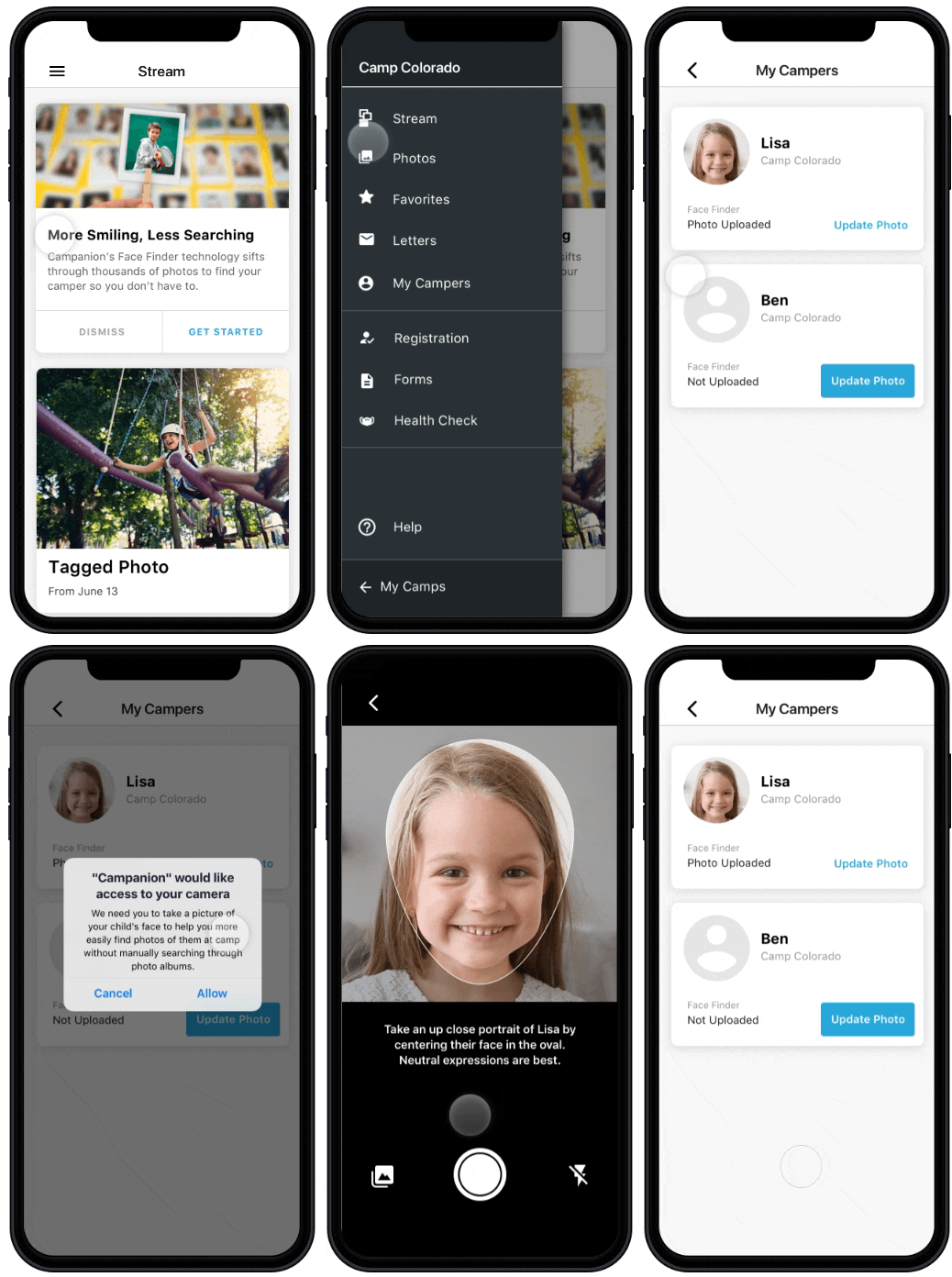
The Face Finder Feature
Experience the wonder of Face Finder, our innovative tool that effortlessly brings your camper's special moments right to you! Utilizing advanced facial recognition, we quickly locate and tag your child's photos in the app, saving you from the hassle of searching. Enjoy a unique, hassle-free way to stay connected and cherish every camp memory with ease and joy!
To train the Campanion app’s Face Finder feature click the three horizontal lines in the top left of your Campanion app to get to the Menu page, choose ‘My Campers’, then choose the camper you would like to train.
What if I would like to opt-out of the Facial Recognition technology?
If you decide to opt-out of Facial Recognition, you will still have full access to the app. The only thing you will be missing is that the Campanion app will not search for photos of your camper. If you already opted in and would like to remove your camper’s recognition, contact Campminder Support at 303-444-2267.
Photos and Albums
Bring the camp experience right to your fingertips! With photos neatly organized in albums, you can easily navigate and relish every moment – from favorite snapshots to various camp activities. Just tap, swipe, and explore these cherished memories directly from your phone, keeping you connected to your child's adventures every single day.
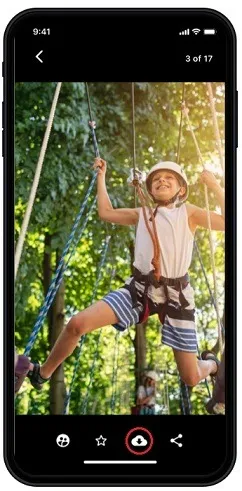
Is it possible to directly download a photo from the app to my phone?
To download a photo to your phone’s camera roll, open the photo and then click on the download "cloud" button at the bottom of the page.
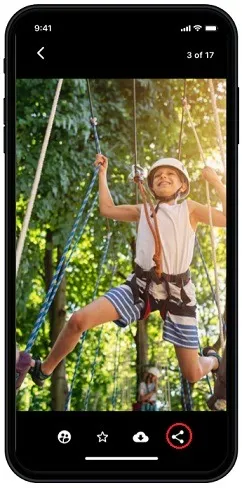
Is it possible to share a photo directly from within the app?
To share a photo right from Campanion, simply open the desired photo and tap the send button located on the bottom right. Once you do that, you'll be able to select the destination for your photo.
Campanion Letters
Stay connected with your camper in a heartwarming way with letters! If your camp has the feature enabled, easily send a personal, printed letter to be hand-delivered to your child at camp. It's like delivering a piece of home straight to your camper, all with a few taps on your device!
How do I send and receive letters with my camper in Campanion?
To send and read letters in the Campanion app, click the three horizontal lines in the top left of your Campanion app to get to the Menu page. Choose ‘Letters’.
Send a letter: Click the pencil icon in the top right of the Letters page. Select the Camper from the dropdown, and add a message. When ready, choose if you would like a handwritten reply (using eLetter Stationary) click the box at the bottom. Click 'Send Your Letter'.
Read a Reply: Camper letters are under the 'Replies' tab. You can save and share letters on the bottom of the screen, same as with photos.
For additional information on CampStamps and Sending eLetters, visit the CampInTouch Parent FAQ:
How do I opt-out of the Push Notifications?
If you decide to opt-out of receiving Push Notifications, you will still have full access to the app. You may miss important push notifications from Camp Judaea and notifications that a new photo of your camper has been tagged. You will still see tagged photos when you log into Campanion.
Tip: If you already opted in and would like to turn off Push Notifications, you can do so in your phone's setting by selecting notifications and finding the Campanion app.